
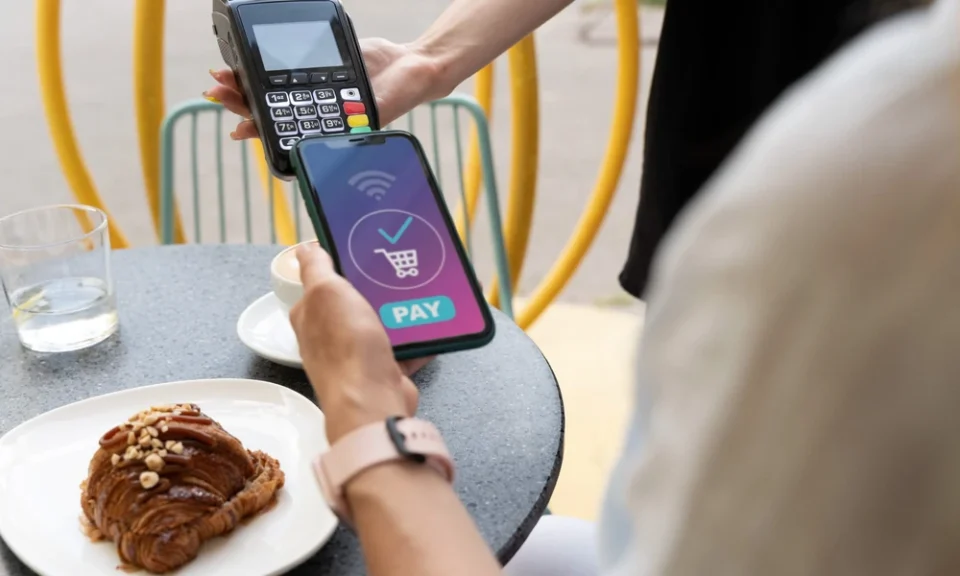
Digital payments have become an important part of everyday retail transactions. Small retailers, neighbourhood stores, convenience shops, pharmacies, food outlets, and other local businesses increasingly need payment systems that are simple for customers and practical for employees.
A good digital payment setup should do more than accept money. It should help retailers record transactions, reduce manual work, track sales, support reconciliation, and provide a convenient checkout experience. The right combination of payment and billing tools can also help business owners understand their daily financial activity more clearly.
A QR Payment App can provide a convenient way for customers to scan a QR code and complete a digital transaction, depending on the payment service. Meanwhile, billing pos solutions can combine billing and point-of-sale functions to help retailers record sales and manage checkout activities.
However, every retailer has different requirements. A small shop with a limited product range may need a simple setup, while a larger retail outlet may require inventory management, employee access controls, reporting, and multiple payment options. Understanding these requirements before choosing a system can help retailers avoid unnecessary costs and complexity.
Understand Your Retail Business Requirements
The first step is to understand what the business actually needs.
A retailer should consider:
- Number of daily transactions
- Number of products
- Average transaction value
- Number of employees
- Inventory size
- Customer payment preferences
- Number of business locations
- Billing requirements
- Reporting needs
- Budget
For example, a small store with 30 daily transactions may not require the same technology as a retailer processing hundreds of transactions every day.
Choosing a system based on actual requirements can make implementation easier and more cost-effective.
Look for Convenient Digital Payment Options
Customers increasingly expect convenient ways to pay for purchases. A retailer can consider different digital payment methods based on its customer base and business model.
A QR Payment App can support QR-based transactions where customers scan a displayed code using a compatible payment application.
QR payments can be useful because they do not necessarily require customers to enter lengthy payment information manually. The exact payment process depends on the customer’s application, bank, device, connectivity, and the merchant’s payment arrangement.
Retailers should ensure that the QR display is clearly visible and easy to scan.
Keep QR Codes Clearly Displayed
The placement of the QR code can affect the customer experience.
A QR code should ideally be:
- Clearly visible
- Easy to access
- Properly printed
- Free from damage
- Positioned at a comfortable scanning distance
- Clearly associated with the intended business
Retailers should avoid placing the QR code behind other objects or in areas where customers cannot easily access it.
For UPI QR arrangements, applicable standards and guidelines should also be followed to support proper presentation and usability.
Consider a Billing POS System
A billing pos system can combine sales billing and point-of-sale functionality.
- Create bills
- Record sales
- Track inventory
- Manage product information
- Record payment methods
- Generate reports
- Manage customer information
- Track discounts
- Handle returns
The exact features vary between solutions, so retailers should identify which functions are genuinely required before choosing one.
Make Checkout Faster
Checkout speed is important for small retailers, particularly during busy periods.
Customers may become frustrated if they have to wait for bills to be generated, payment details entered, or transactions manually recorded.
A well-organized digital checkout process can reduce some repetitive tasks.
For example:
Product selection → Bill creation → Payment selection → Payment confirmation → Transaction record
A streamlined workflow can help employees serve customers more efficiently.
Support Multiple Payment Methods
Retailers should avoid designing their payment setup around only one payment method.
Customers may prefer different options, including QR-based payments, cards, cash, or other supported digital methods.
Having multiple options can help businesses serve a broader range of customers.
It can also provide a backup if one payment channel experiences a technical issue.
Make Payment Verification Simple
Payment verification is an important part of retail operations.
Employees should confirm that a transaction has been successfully completed before handing over products or completing a service.
A customer screenshot should not automatically be treated as proof of successful payment. Retailers should use the appropriate payment system or transaction records to verify the payment.
Employees should also understand how to handle pending, failed, reversed, or disputed transactions.
Connect Billing With Payments
A useful retail setup should make it easy to associate a sale with its payment.
For example, if a customer purchases products worth ₹2,500, the billing record should show the transaction amount and payment method.
This can make daily reconciliation easier.
At the end of the day, the retailer can compare:
- Total sales
- Cash received
- Digital payments
- Card payments
- Refunds
- Other adjustments
A clear connection between billing and payments can reduce manual reconciliation work.
Consider Inventory Management
Inventory is one of the most important areas for many retailers.
If the payment system records a sale but inventory is managed separately, employees may need to update stock manually.
A suitable point-of-sale system may allow inventory levels to be updated when sales are recorded.
This can help retailers understand:
- Current stock levels
- Fast-moving products
- Slow-moving products
- Reorder requirements
- Sales trends
Better inventory visibility can reduce the risk of both overstocking and running out of popular products.
Look for Sales Reporting
Reports can help retailers understand how the business is performing.
Useful reports may include:
- Daily sales
- Weekly sales
- Monthly sales
- Product-wise sales
- Payment method reports
- Refund reports
- Inventory reports
- Tax-related reports
- Employee sales
The value of reporting depends on the retailer’s needs. A small store may only need basic daily and monthly reports, while a larger business may require more detailed analytics.
Make Employee Access Manageable
If several employees use the billing system, retailers should consider access controls.
Not every employee needs access to every function.
For example, employees may be allowed to create bills and accept payments, while managers may have permission to issue refunds, change product prices, or view financial reports.
Role-based access can help reduce unauthorized changes and provide greater accountability.
Protect Customer and Business Data
Digital payment and billing systems can contain important business and customer information.
Retailers should take basic security precautions such as:
- Using strong passwords
- Enabling additional authentication where available
- Keeping software updated
- Limiting account access
- Securing business devices
- Training employees on payment safety
- Maintaining appropriate backups
Employees should never share confidential passwords, PINs, or authentication codes.
Security should be considered before adopting any digital payment or billing solution.
Check Device Compatibility
A retailer should make sure the chosen payment and billing tools work with the devices already used by the business.
Consider whether the system supports:
- Smartphones
- Tablets
- Computers
- POS terminals
- Printers
- Barcode scanners
- Other retail equipment
If additional hardware is required, retailers should include its purchase and maintenance costs in the overall budget.
Consider Internet Connectivity
Digital payment and billing systems may depend on internet connectivity.
Retailers should understand what happens when the internet connection becomes slow or unavailable.
A business can consider maintaining alternative payment methods and procedures for temporary technical issues.
Employees should know how to identify whether a transaction is successful, pending, or failed before completing the sale.
Check Settlement and Transaction Information
Retailers should understand how and when digital payments are settled.
Important questions include:
- When will funds become available?
- Where can transaction records be viewed?
- How are refunds handled?
- How are failed transactions identified?
- What reports are available?
- How can transactions be reconciled?
Clear settlement information can help retailers manage cash flow more effectively.
Review Applicable Charges
Digital payment solutions can involve different types of costs depending on the service and payment method.
Retailers should review the applicable pricing structure before adopting a solution.
Potential costs may relate to:
- Payment processing
- Hardware
- Software
- Subscription plans
- Additional features
- Maintenance
- Other applicable services
Businesses should compare the overall cost with the features they actually need.
The cheapest option is not necessarily the most suitable, while the most feature-rich system may be unnecessary for a small retailer.
Make Billing Easy for Employees
A retail system should be simple enough for employees to learn quickly.
If the checkout interface is complicated, employees may take longer to process transactions or make more mistakes.
Before choosing a solution, retailers should consider:
- Ease of product search
- Speed of bill generation
- Ease of payment selection
- Return and refund workflow
- Employee training requirements
- Error correction process
A short demonstration or trial can help retailers determine whether the system fits their daily workflow.
Consider Customer Receipts
Customers may want a receipt after completing a purchase.
Depending on the system, retailers may be able to provide printed or digital receipts.
Digital receipts can reduce paper usage and may make it easier for customers to retain transaction information.
Retailers should choose a receipt method that suits their customers and operational requirements.
Look at Refund and Return Features
Returns and refunds are normal parts of retail operations.
A digital system should provide a clear process for recording them.
The retailer should be able to identify the original transaction and record the refund appropriately.
This prevents refunds from becoming disconnected from the original sale and makes financial reconciliation easier.
Think About Scalability
A system should ideally be able to support the retailer as the business grows.
A small store may eventually:
- Add more products
- Hire more employees
- Open another location
- Increase transaction volumes
- Introduce online sales
- Require advanced reports
Choosing a system that can scale can prevent the business from having to replace its technology too quickly.
Avoid Unnecessary Features
More features do not always mean better value.
A small retailer may not need advanced analytics, complex customer management, or extensive integrations.
Too many unnecessary functions can make a system harder for employees to use.
Retailers should focus on the features that solve real business problems.
A simple system that employees use correctly can be more valuable than a complicated system that creates confusion.
Train Employees Before Going Live
Even a simple digital payment setup requires basic employee training.
Employees should know how to:
- Create a bill
- Accept digital payments
- Verify payment status
- Handle failed transactions
- Process refunds
- Generate receipts
- Correct billing errors
- Protect customer information
Training should also explain what employees should do when a transaction does not appear correctly.
Reconcile Transactions Regularly
Daily reconciliation can help retailers identify discrepancies quickly.
At the end of the day, the retailer can compare sales records against payment records.
For example:
Total sales = Cash + Digital payments + Card payments − Refunds ± Adjustments
The exact calculation depends on the business’s accounting setup, but the basic principle is to ensure that recorded sales and actual collections are consistent.
Regular reconciliation can reduce the risk of unresolved discrepancies accumulating over time.
Use Reports for Better Business Decisions
Once transaction information is organized digitally, retailers can use it to make better operational decisions.
Sales reports can show which products are performing well. Inventory reports can indicate when stock needs to be reordered. Payment reports can show how customers prefer to pay.
This information can support decisions about purchasing, pricing, staffing, promotions, and inventory.
However, reports are useful only when the underlying data is accurate.
Evaluate Customer Support
Technical issues can affect checkout operations, so customer support is another factor retailers should consider.
Before choosing a solution, businesses should understand:
- How support can be contacted
- Available support hours
- Troubleshooting resources
- Device replacement procedures, if applicable
- How payment disputes are handled
A retailer should know where to seek help when a payment or billing issue affects customers.
Conclusion
Choosing a digital payment setup requires more than selecting a method for accepting money. Small retailers should consider the entire checkout and transaction-management process, from billing and payment collection to reconciliation, inventory, reporting, security, and customer service.
A QR Payment App can provide a convenient QR-based payment option for customers, while billing pos solutions can help retailers manage billing and point-of-sale activities. The right combination depends on transaction volume, business size, customer preferences, employee requirements, and available budget.
Retailers should prioritize ease of use, reliable payment verification, clear transaction records, appropriate security controls, and useful reporting. They should also understand applicable costs and settlement processes before adopting a solution.
A digital payment setup should ultimately make everyday retail operations easier rather than more complicated. By choosing tools that match their actual requirements and reviewing those tools as the business grows, small retailers can create a more organized checkout experience while gaining better visibility into sales and financial activity.
FAQs
1. What is a QR Payment App?
A QR Payment App is a digital payment application that can support QR-based transactions, allowing customers to scan a merchant QR code and complete a payment using a compatible payment method.
2. What is a billing POS system?
A billing pos system is a point-of-sale solution that can help businesses create bills, record sales, manage payments, and, depending on its features, handle inventory and reporting.
3. Why should small retailers use digital payments?
Digital payments can provide customers with additional payment choices and help retailers reduce reliance on cash while maintaining electronic transaction records.
4. What should retailers consider before choosing a payment setup?
Retailers should consider transaction volume, payment methods, billing requirements, inventory needs, security, reporting, device compatibility, support, scalability, and applicable costs.
5. Can a QR Payment App help speed up checkout?
It can provide a convenient payment process, particularly for customers familiar with QR-based transactions. Actual transaction speed depends on connectivity, devices, payment applications, and other factors.
